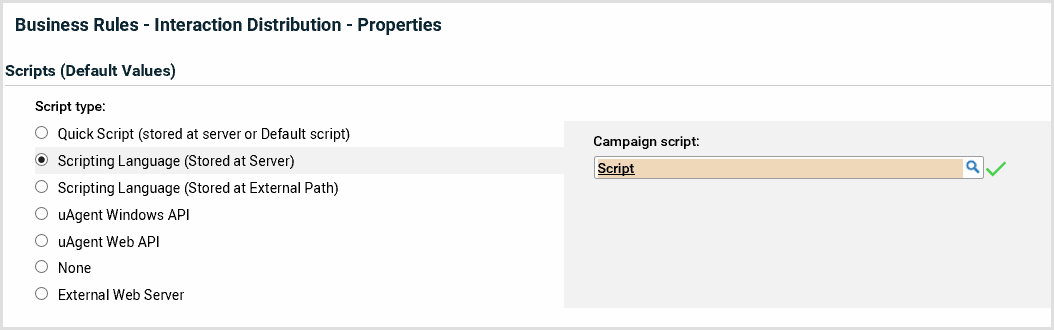
How to define the campaign script in Management Portal
Define the campaign script in Management Portal. Scripts run associated to campaigns.
The Management Portal window has the following parts:
- Tab
- Current context
- Details group
- Panel
- Toolbar.
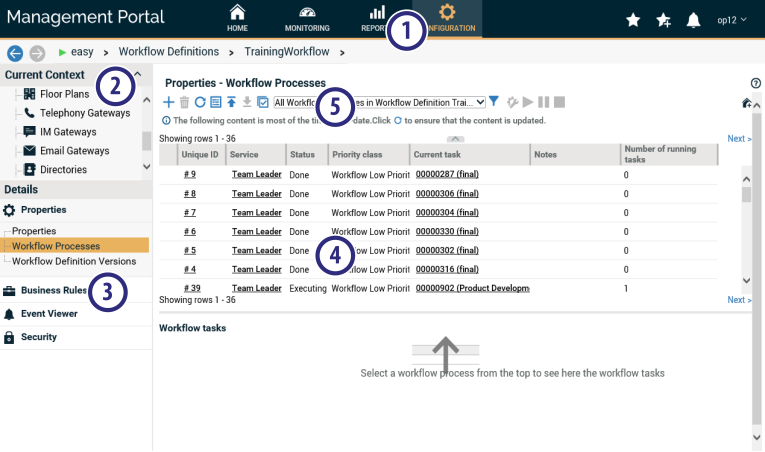
- Select a campaign.
- Open Management Portal.
- Select the tab Configuration.
- Select the current context Campaigns.
- Select a campaign.
- Select the campaign script.
- Select the details group Business rules, panel Interaction distribution > Properties.
- Select Scripting language (Stored in server).
- Click
 to select the ASL script for the campaign.