Attributes reference
Visual Script displays attributes you can use in the scripts in the Attributes section of the Elements/Variables menu.
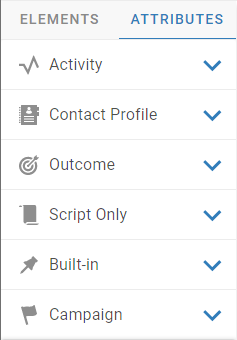
Activity
Visual Script displays the activity attributes of the service of the campaign where you are creating the script.
The activity attributes are defined in Management Portal, in the service business data.
|
Tip You can create new activity attributes using Visual Script. |
Contact Profile
Visual Script displays the built-in attributes of contact profiles, and also the contact profile extensions of the default directory of the service of the campaign where you are creating the script.
The contact profile extensions are defined in Management Portal, in the directory business data.
|
Tip You can create new contact profile extensions using Visual Script. You must close all services that use the directory as the default directory before creating contact profile extensions in Visual Script. |
Outcome
Visual Script displays the activity outcome attributes of the service of the campaign where you are creating the script.
The activity outcome attributes are defined in Management Portal, in the service business data.
|
Tip You can create new activity outcome attributes using Visual Script. |
Script Only
Visual Script displays the user-defined attributes that the user creates to help with the definition of the script.
Built-in
Visual Script displays the following built-in attributes:
- agentName: The short name of the agent. For example, jsmith.
- agentFullName: The full name of the agent. For example, John Smith.
- campaignName: The name of the campaign where the script runs. For example, Helpdesk.
- phoneNumber: The customer phone number.
Campaign
Visual Script displays the campaign attributes of the service of the campaign where you are creating the script.
The campaign attributes are defined in Management Portal, in the service business data.
|
Tip You can create new campaign attributes using Visual Script. |
Creating attributes
Using the Visual Script editor, you can create attributes for all groups of attributes. Each attribute:
- Must start with a letter.
- Can contain letters, numbers, and underscores. For example, customer_email1.
- Cannot contain spaces or any other special characters.