Troubleshooting
Common troubleshooting scenarios and performance guidelines.
Log information
The log files of the following components provide useful debug information about the behavior of the interactions:
- Altitude Bot Connector
- Altitude Integration Server
- Altitude uCI Server logs:
- easy.log
- sam.link logs
The bot sends a "service unavailable" message
Ensure the campaign is open, and there are ready agents in the campaign.
Internet Explorer Enhanced Security Configuration
Internet Explorer Enhanced Security Configuration (IE ESC) prevents the web chat control from loading.
|
Note The configuration is enabled by default in Windows Server operating systems. |
In the agent workstations running uAgent, you must disable the configuration to ensure the web chat control loads:
- Click the Start menu.
- Open the Server Manager.
- Click Configure this local server.
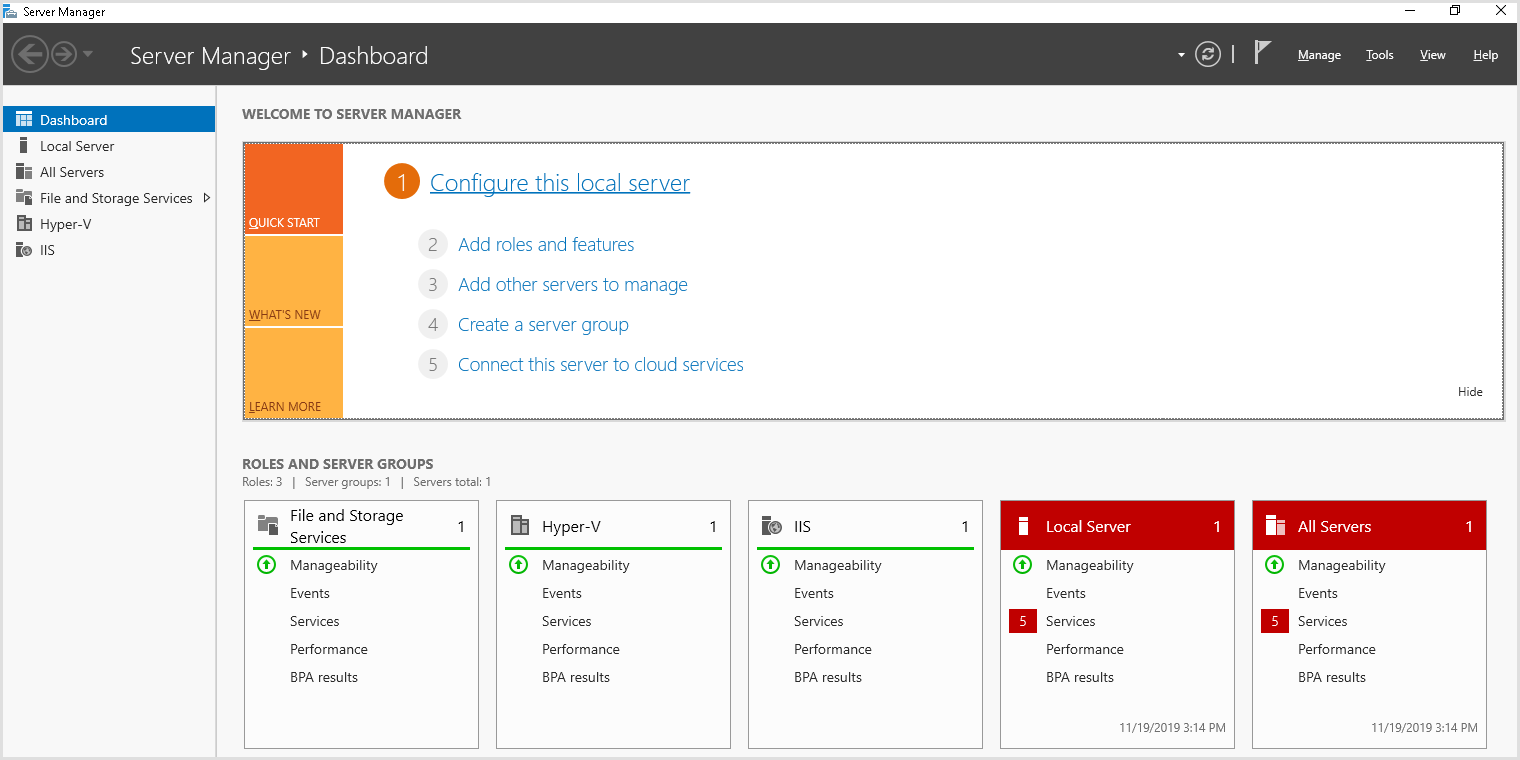
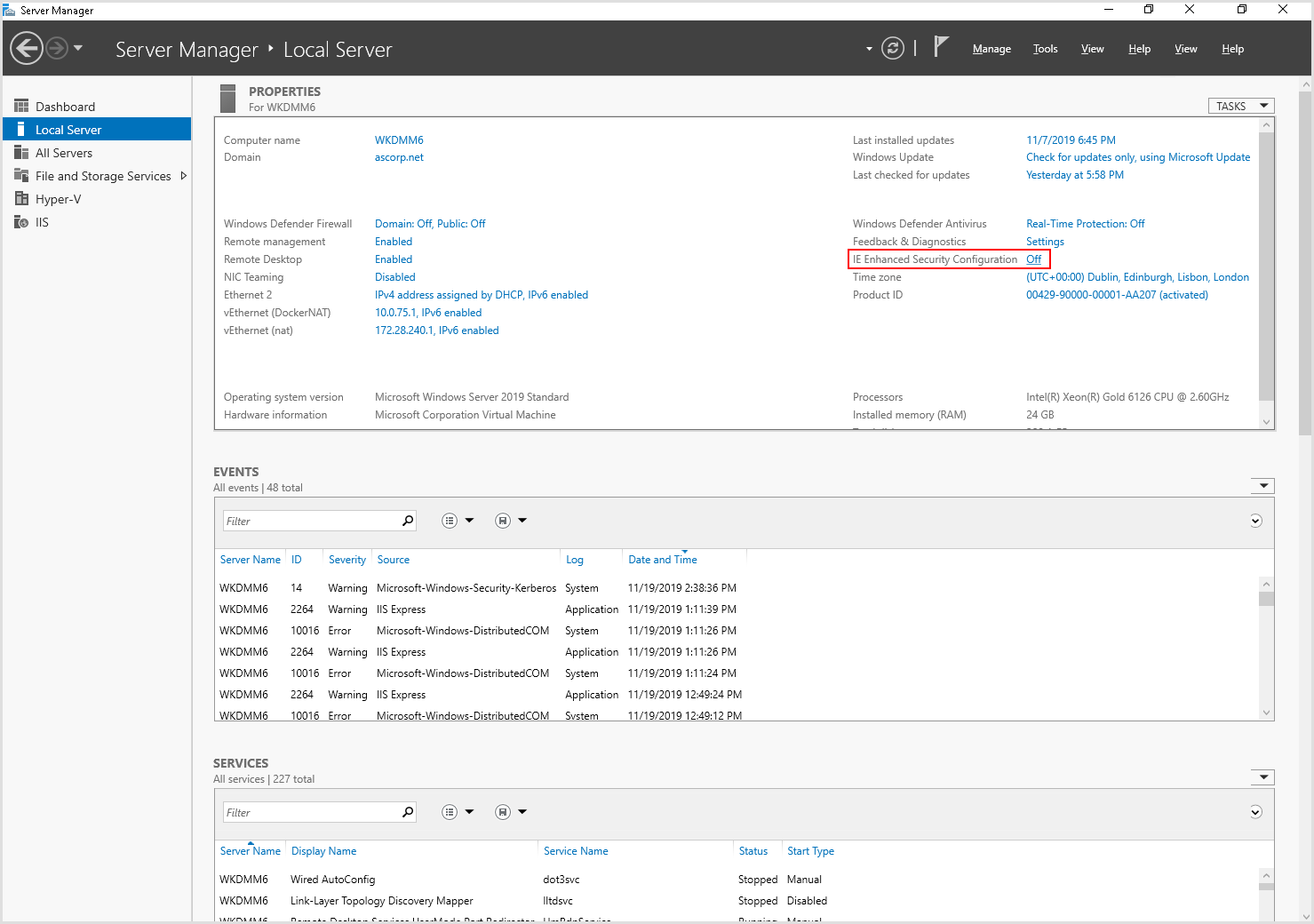
- Select Off for the IE Enhanced Security Configuration attribute to open the Internet Explorer Enhanced Security Configuration window.
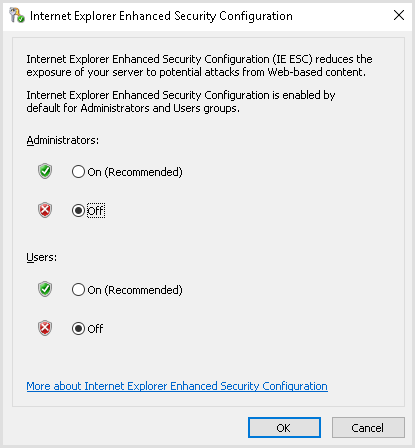
- In the Internet Explorer Enhanced Security Configuration window, select Off for the following attributes:
- Administrators
- Users.
Solve issues related to the Azure channels
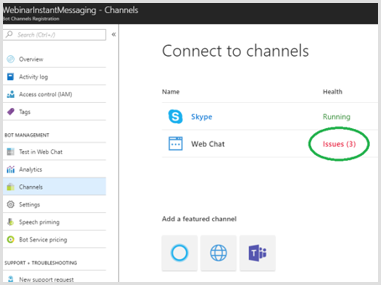
If a channel stops working for your bot, login to Azure and check the channel page. If Azure displays a notification of issues, for example, for the channel Web Chat as in the following image:
Execute the following steps:
- Click Issues (x) in the Connect to channels page, where x is the number of issues. For example, Issues(3).
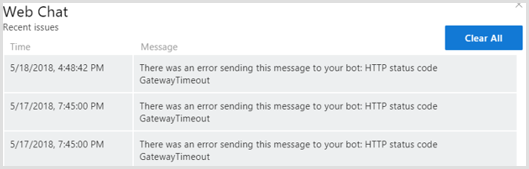
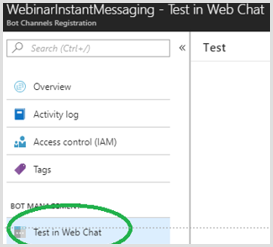
- In Azure, in the main menu of the bot, click Test in Web Chat to:
- open a web chat control and test the behavior that creates the issues.
- fix the issues, ensuring the interactions with the customer work as expected.
Multiple HTTPS bindings on an IIS web site with Integration Server
The WCF services hosted in IIS are configured to only have one base address by default.
If your project requires to have multiple HTTPS bindings, the following error message from the Integration Server displays this limitation:
"This collection already contains an address with scheme http. There can be at most one address per scheme in this collection".To enable multiple site bindings and avoid the error, enter the following configuration in the Integration Server configuration file:
<system.serviceModel>
<serviceHostingEnvironment multipleSiteBindingsEnabled="true" />
</system.serviceModel>
|
Note For more information, click here. |
Firewalls and other security issues
If you have an outbound firewall blocking traffic from your bot to the Internet, you need to allow-list the following URLs in the firewall:
- login.botframework.com (Bot authentication)
- login.microsoftonline.com (Bot authentication)
- *.botframework.com (channels)
Since agents only use the web chat control, you can allow-list directline.botframework.com.
For more information on Bot Framework security and privacy, please see https://docs.microsoft.com/en-us/azure/bot-service/bot-service-resources-faq-security?view=azure-bot-service-4.0.