How to identify a customer
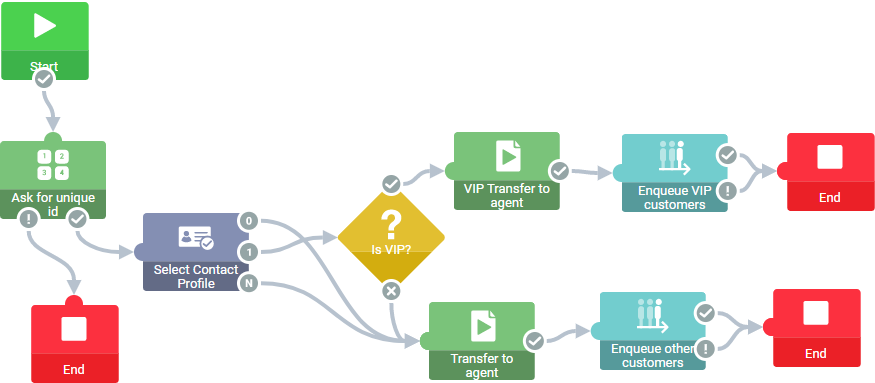
The example shows how to build a flow in Xperience Routing that detects a VIP customer.
- In the Xperience Routing editor, create a new flow.
- Add blocks.
- Start
- End
- Wait for digits
- Select contact profile
- If
- Enqueue phone
- Play file.
- Connect the blocks.
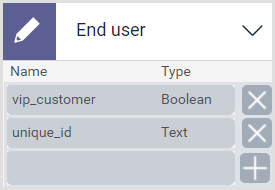
- Add variables. Add the following variables:
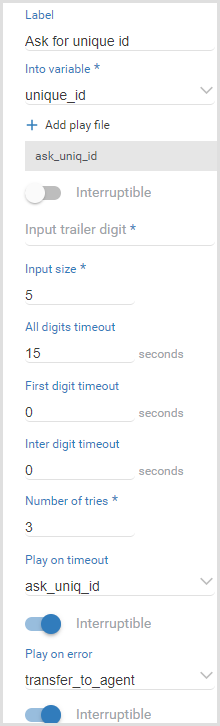
- Select the block Wait for digits and configure the block properties.
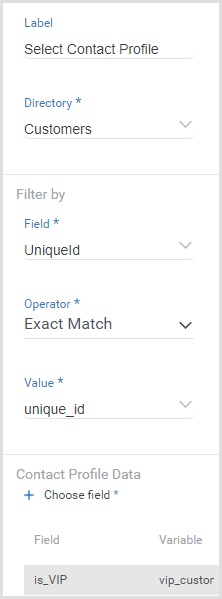
- Select the block Select contact profile and configure the block properties.
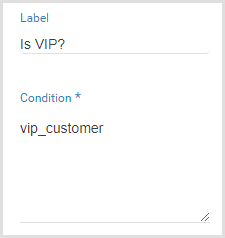
- Select the block If and configure the block properties.
- Select the block Transfer to agent and configure the block properties.
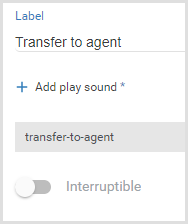
- Select the block Transfer to agent and configure the block properties.
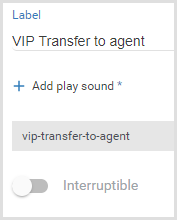
- Publish the flow in the Altitude uCI Server.
- Associate the generated IVR script with a campaign.
How does the example work
- The IVR campaign receives a phone call.
- The block Ask for unique id:
- Plays a message asking for the customer number.
- Waits for the customer input.
- Stores the customer input in variable unique_id.
- The block Select contact profile:
- Uses unique_id to search for the contact profile of the customer.
- Retrieves the value of column is_VIP and stores the value in variable vip_customer.
- The block Is VIP? evaluates the value of variable vip_customer:
- If the variable vip_customer is false, the flow plays a message for non-VIP customers, enqueues the call to an agent campaign with priority 0, and ends.
- If the variable vip_customer is true, the flow plays a message for VIP customers, enqueues the call to an agent campaign with priority 10, and ends.