How to configure reports
Create and configure reports based on built-in and business indicators of the contact center.
The Management Portal window has the following parts to create and configure reports:
- Tab
- Details group
- Panel
- Toolbar
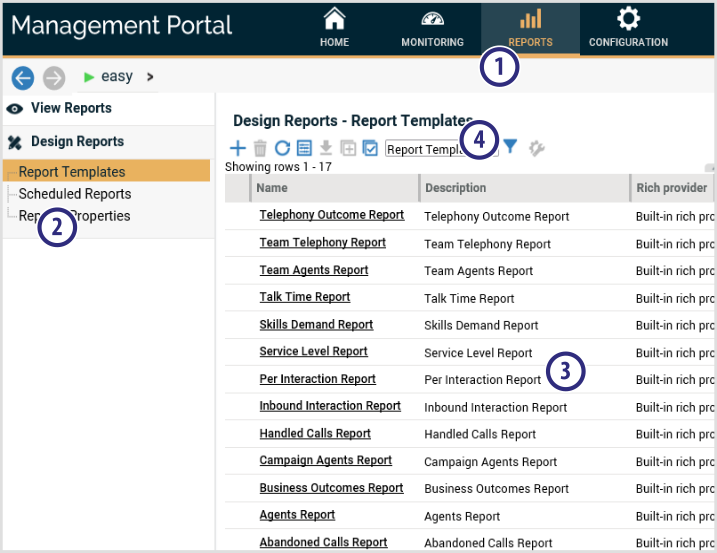
Follow the steps below to configure reports using Management Portal:
- Create report templates.
- Add extra data sources to the report template.