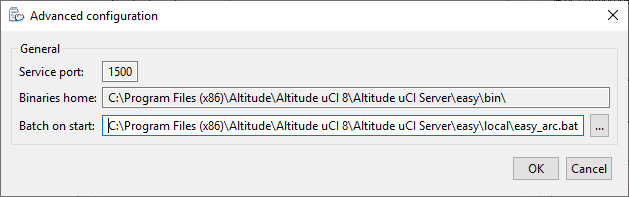
Altitude uCI Server Manager, tab General
Configure the general properties of the Altitude uCI Server.
Contact Center
- Contact center name: The identification of the Altitude uCI Server.
Licensing
- License Server: TCP/IP hostname and port of the computer hosting the License Server, separated by a colon (:).
Proxy
- Server Proxy: Leave empty. Discontinued with the Firewall Adapter.
Document Repository Configuration
- Path: Path to the folder of the document repository.
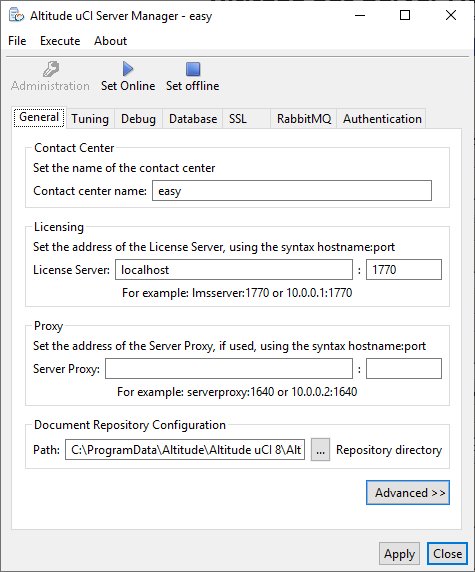
Advanced - General
- Service port: Port that the Altitude uCI Server service uses to run.
- Binaries home: Folder used for the Altitude uCI Server and other binaries.
- Batch on start: Batch file that runs when the Altitude uCI Server boots. You should keep the default.