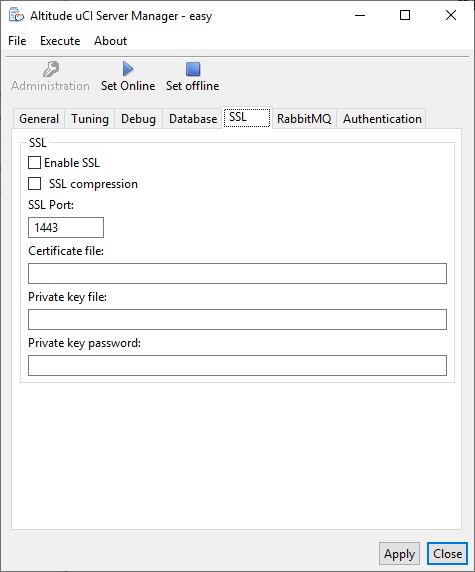
Altitude uCI Server Manager, tab SSL
Configure security options to connect the Altitude uCI Server with other components.
- Enable SSL: Select the checkbox to enable SSL connections between the Altitude uCI Server and other Altitude components.
- SSL compression: Enables SSL data compression.
- SSL Port: Port that the Altitude uCI Server uses for SSL connections. The default value is 1443.
- Certificate file: The full path to the certificate file. For example, C:\Certificates\mycert.crt.
- Private key file: The full path to the private key file. For example, C:\Certificates\mycert.key.
- Private key password: The private key password.