Authentication Service
The Authentication Service is an Altitude component that is responsible to handle authentication requests from Altitude applications.
|
Important The Authentication Service is a mandatory Altitude component. |
Supported applications
The Authentication Service handles authentication requests from Altitude applications. Users logging in to uAgent Web and Management Portal now have a new login application.
When you install the Authentication Service, you must specify the uAgent Web and Management Portal URLs that will use the Authentication Service in the login requests.
Also, when you install or update the Altitude uCI Server, Management Portal, and uAgent Web, you must enter the URL of the Authentication Service.
User login
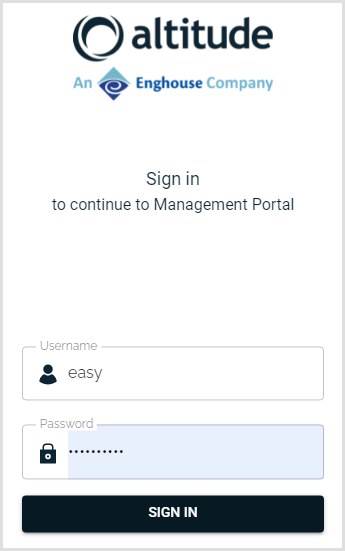
When a user tries to login to Management Portal or uAgent Web, the user has to authenticate in the Authentication Service login page. After a successful login, the Authentication Service redirects the user to the correct application.
All other Altitude applications do not need any additional configuration. The Authentication Service validates the password, but does not display a page where the user can authenticate.
User account states and passwords
With the Authentication Service, user accounts can have one of the following states:
- Active: The user can login in all applications.
- Inactive: The user cannot login in any application.
- Blocked: The user has a blocked account because the user failed to authenticate a certain number of times. You can configure the maximum number of login tries before the user is blocked in Management Portal.
- Pending: The user does not have a password set. Use Management Portal to change the user password.
Regarding the user passwords, the Authentication Service imposes the following rules:
- All human agents must now have a password.
- If the user already had a password, the user can continue to login.
- If the user did not have a password, the user account goes to state Pending, and cannot login until the user sets a password.
- Users must now set their own passwords. To set a user password, in Management Portal, supervisors can now request a link that redirects to the Authentication Service. Supervisors must send the link to the user, and the user sets their own password.
- Passwords now follow a password policy, which can be set in Management Portal. The password policy can be customized, or can follow the PCI-DSS standards.
- You cannot change the password of a user in Management Portal. To change the password, you must send the password reset link to the user.
|
Note The Authentication Service only validates passwords from human agents. The passwords of IVR and routing agents are now ignored, since IVR and routing agents are installed in an internal network, and are therefore safe from attacks. |
Authentication Service ports
See the list of ports for the Authentication Service in Altitude Ports.