How to configure alerts for page checksums and torn pages in SQL Server
Configure alerts for Severity 24 errors in SQL Server to detect problems.
-
Create an alert for Severity 24 errors.
- Expand the SQL Server Agent.
- Right-click Alerts.
- Select the option New Alert....
-
Configure the properties of the alert.
- Name: Enter the name of the alert.
- Type: Select SQL Server event alert.
- Database name: Select the database that SQL Server Agent monitors.
- Severity: Select 024 - Fatal Error: Hardware Error.
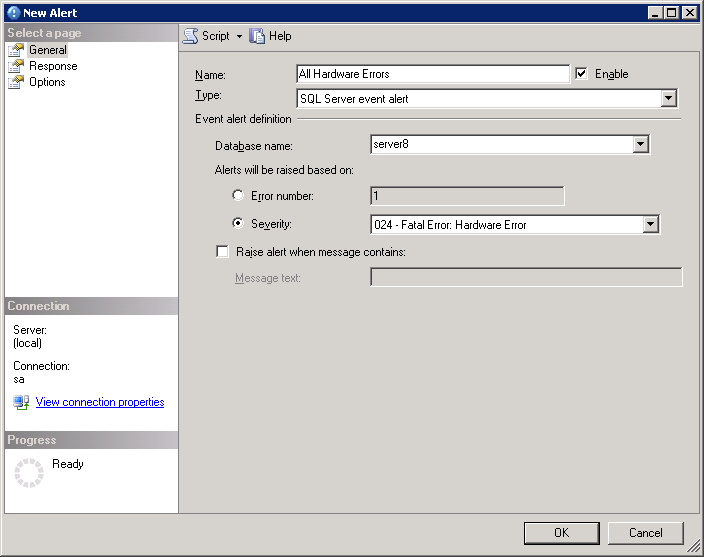
-
Start the SQL Server Agent.
- Right-click SQL Server Agent.
- Select the option Start.