How to enable statistics in SQL Server
Enable statistics in an SQL Server database to optimize the Query Processor.
-
Access the properties of the database.
- Right-click in the database.
- Select the option Properties.
-
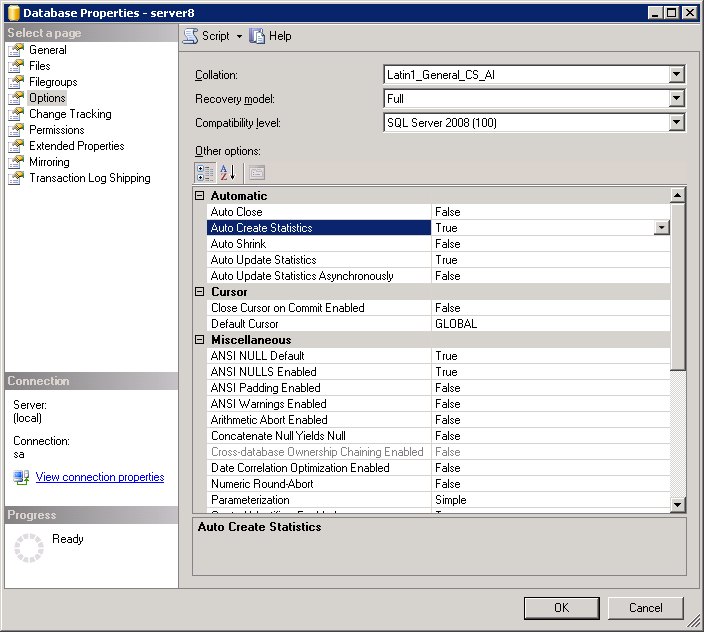
Enable the database statistics.
- Select the page Options.
-
Enable the database statistics.
- Auto Create Statistics: Select True.
- Auto Update Statistics: Select True.