How to configure the default file locations in SQL Server
Configure the default location of data and log files.
-
Access the properties of the SQL Server engine.
- Right-click the SQL Server engine. For example, for SQL Server 2008, right-click (local)(SQL Server 10.50.4000 - sa).
- Select the option Properties.
-
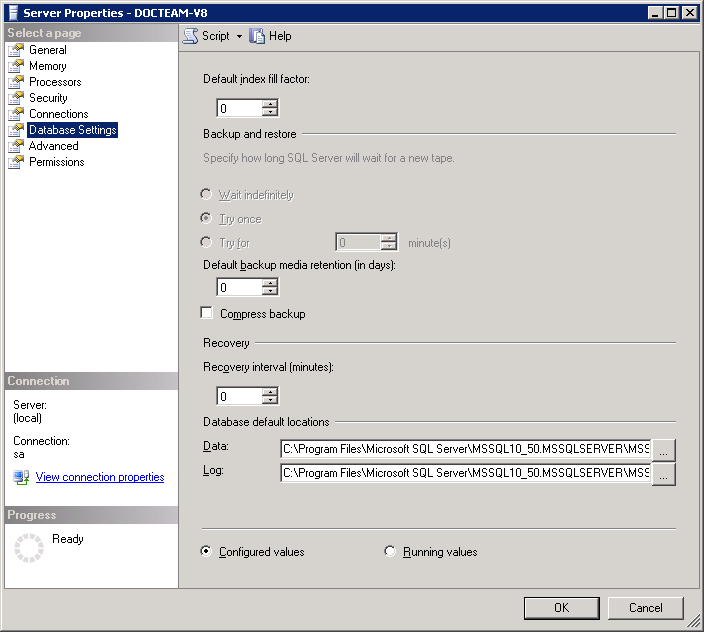
Configure the default location of the data and log files.
- Select the page Database Settings.
-
Configure the default location of the files.
- Data: Click ... to select the default folder where SQL Server stores the database data files.
- Log: Click ... to select the default folder where SQL Server stores the database log files.
- Restart SQL Server.