How to configure the initial size and growth of the database in SQL Server
Configure the size and growth of the database files.
-
Access the properties of the database.
- Right-click in the database.
- Select the option Properties.
-
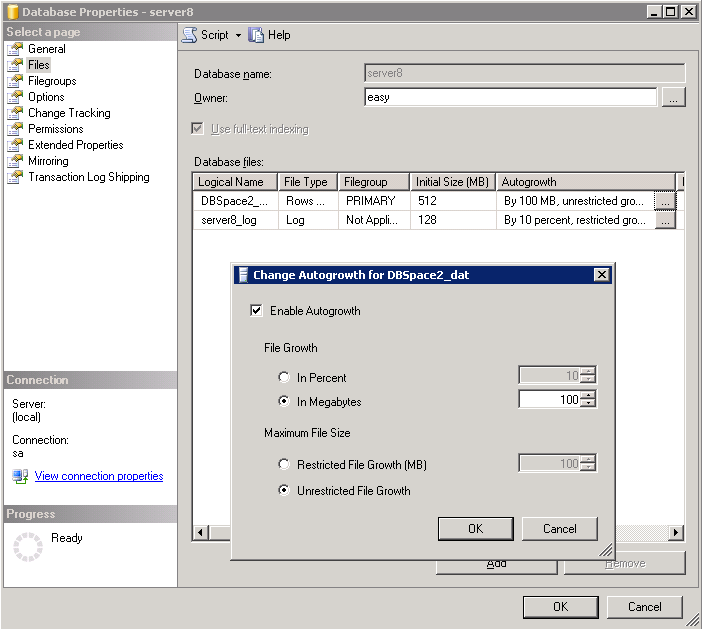
Configure the initial size of the database and the database automatic growth.
- Select the page Files.
-
Configure the database automatic growth.
- Initial Size (MB): Enter the initial size of the database.
- Autogrowth: Click ... to configure the automatic growth of the database.