How to enable instant file initialization for SQL Server
Enable instant file initialization for faster data file allocations.
-
Run the Local Users and Groups tool on the server that runs SQL Server to find the appropriate group name for each instance of SQL Server.
For example: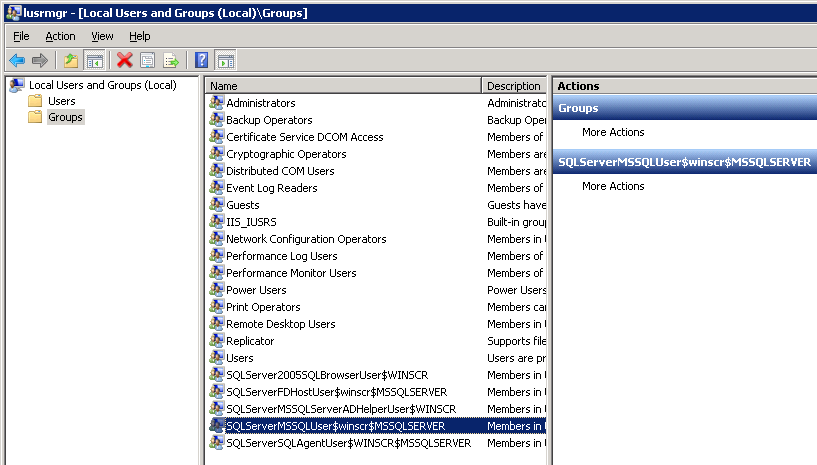
- For an SQL Server 2005 named instance, SQLServer2005MSSQLUser$SERVER$INSTANCE
- For an SQL Server 2008 named instance, SQLServerMSSQLUser$SERVER$INSTANCE
- For the SQL Server 2008 default instance, SQLServerMSSQLUser$SERVER$MSSQLSERVER.
-
Enable instant file initialization.
- Run the Local Security Policy tool on the server.
-
Select the folder Security Settings > Local Policies > User Rights Assignment.
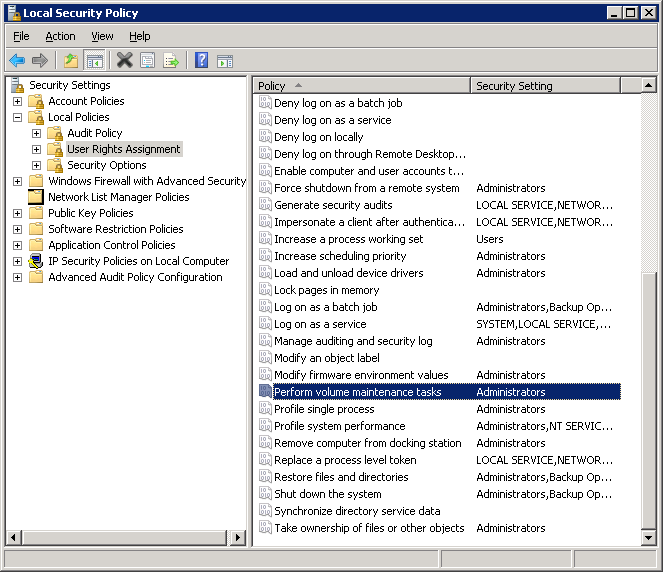
-
On the panel, double-click Perform volume maintenance tasks.
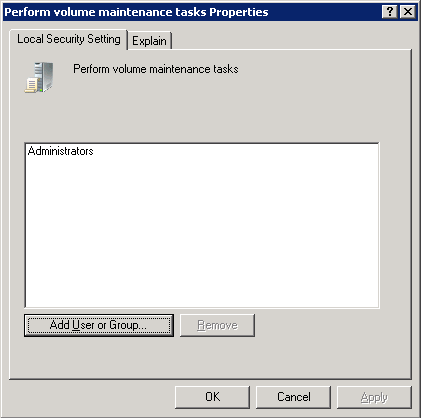
- Click Add User or Group.
- Click Locations and select your local computer name or your domain.
- Click Object Types and select Groups.
-
Enter the SQL Server group or your cluster domain group.
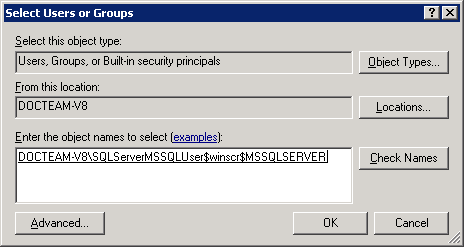
- Click OK.
- Restart SQL Server.