How to configure log and trace files in License Manager
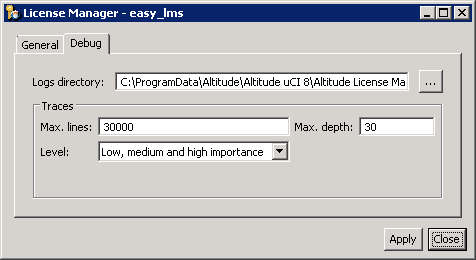
Configure the location of log and trace files in the License Manager.
-
Configure the location of the log and trace files of the License Manager.
- Open the License Manager.
- Select the tab Debug.
-
Define the log and trace directory.
- Logs directory: Folder where the License Manager stores the log and trace files.
-
Define the trace configuration.
- Level: Configure the trace level and the maximum lines in each trace file.
- Restart the Windows service of the License Manager.