Maintenance
Import, export, reload, and reset configurations.
In Altitude Communication Server Administration, select Maintenance.
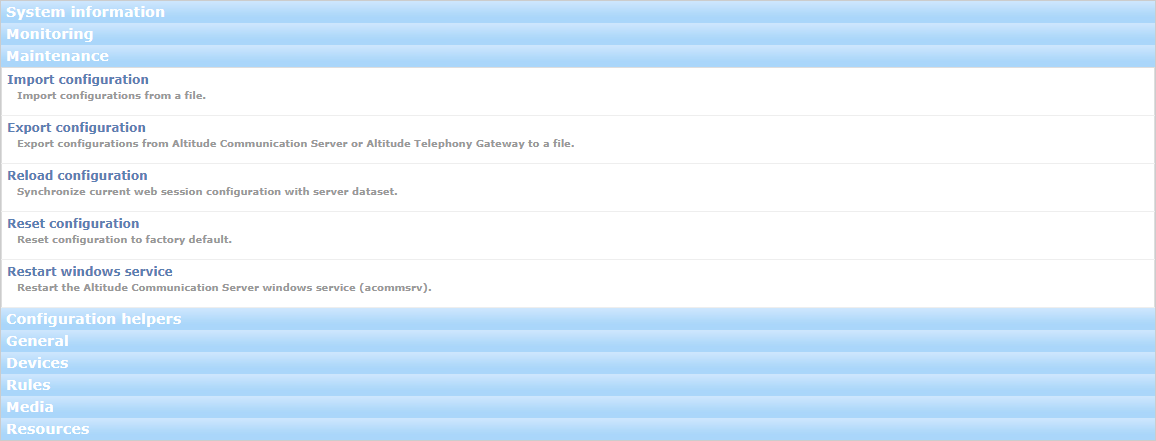
- Import configuration: Imports the Altitude Communication Server configuration from a previously exported file.
Attention
Importing the configuration from a different Altitude Communication Server can create an incoherent state.

- Export configuration: Exports a configuration to a file.
- Altitude Communication Server. Useful as a backup.
- Altitude telephony gateway. Useful to simplify the creation of a telephony gateway entity for the Altitude Communication Server in Management Portal.

- Reload configuration: Restores the last published configuration of the Altitude Communication Server.
- Reset configuration: Resets the configuration of the Altitude Communication Server to factory default.
- Restart Windows service: Restarts the Altitude Communication Server Windows service (acommsrv).
Selective Configuration Import
When importing a configuration, select the following:
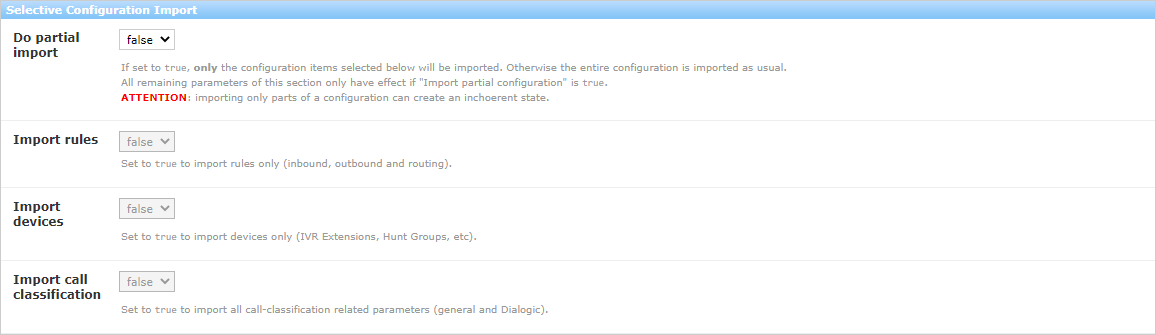
- Do partial import: If true, select which configuration items to import. Otherwise, the Altitude Communication Server imports the entire configuration.
- Import rules: Import inbound, outbound and routing rules.
- Import devices: Import extensions, hunt groups, routing points and call classifiers.
- Import call classification: Import the Dialogic and SIP call classification parameters.
|
Attention Importing only parts of a configuration can create an incoherent state in Altitude Communication Server. |
Altitude Telephony Gateway configuration
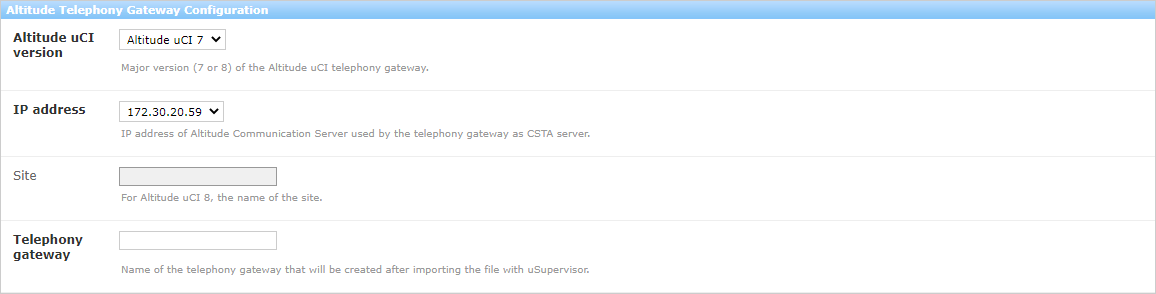
To export the configuration of an Altitude telephony gateway, enter the following information:
- Altitude uCI version: Major version (7 or 8) of Altitude.
- IP address: IP address of the Altitude Communication Server used by the telephony gateway as CSTA server.
- Site: For Altitude 8, the name of the site.
- Telephony gateway: Name of the telephony gateway that will be created after importing the file with Management Portal.
Advanced options:
- IVR extensions: IVR extensions to declare as digital extensions in the telephony gateway. Only visible if IVR extensions are defined. By default, export all IVR extensions.
- Hunt groups: Hunt groups to declare as additional devices in the telephony gateway. Only visible if hunt groups are defined. By default, export all hunt groups.
- External extensions: External extensions to declare as digital extensions in the telephony gateway. Only visible if external extensions are defined. By default, export all external extensions.
- Virtual extensions: Virtual extensions to declare in the telephony gateway. Only visible if virtual extensions are defined. By default, export all virtual extensions.