How to configure CTLive
Configure a tenant in CTLive to integrate with Altitude.
The following configuration is done in the CTLive Manager. Contact Customer Support to get the CTLive installation package and related documentation.
- Login to CTLive using an administrator account.
- Create a tenant to integrate with Altitude.
- Login to CTLive using the created tenant.
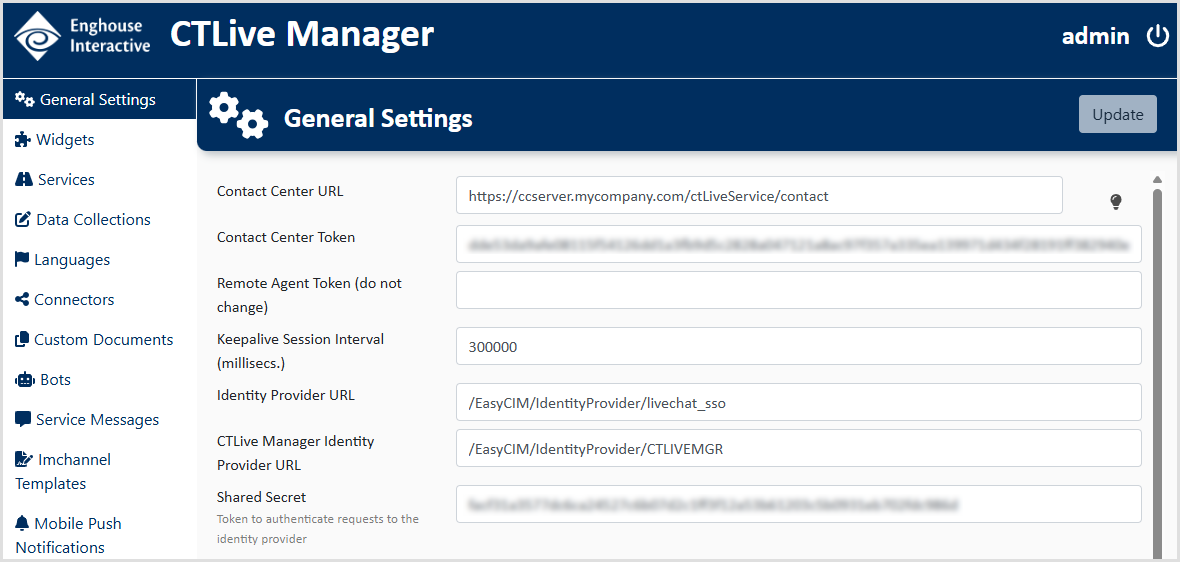
- Configure the General Settings of the tenant.
- Contact Center URL: Enter the URL to the Altitude CTLive Service, followed by /contact.
- The format of an HTTP URL is http://<fqdn>:<port>/contact, where <fqdn> is the FQDN where the Altitude CTLive Service is installed, and port is the port where the Altitude CTLive Service is listening.
- The format of an HTTPS URL is https://<fqdn>/<ctlivealias>/contact, where <fqdn> is the FQDN where the Altitude CTLive Service is installed, and <ctlivealias> is the directory for the Altitude CTLive Service in the proxy.
Important
Take note of the Contact Center Token and Shared Secret.
- Contact Center URL: Enter the URL to the Altitude CTLive Service, followed by /contact.
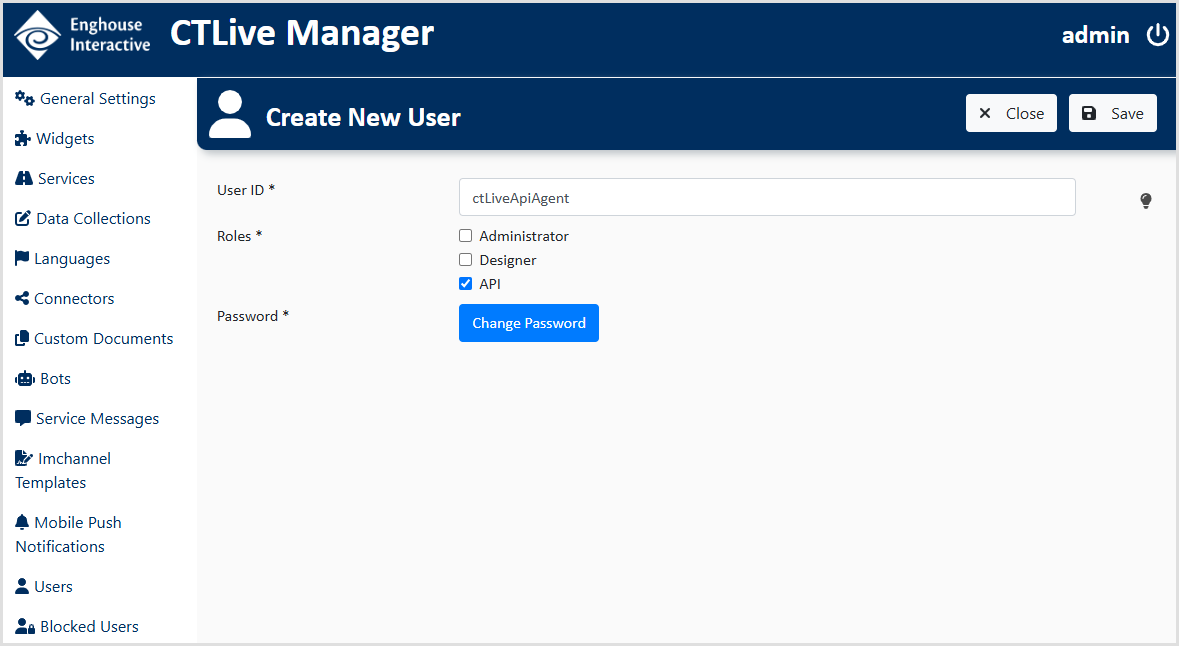
- Create an API user. In Users, create a user to interact with the Altitude CTLive Service.
- User ID: Enter the identifier of the user. For example, ctLiveApiAgent.
- Roles: Select API.
- Password: Click Change Password to set the password of the user.
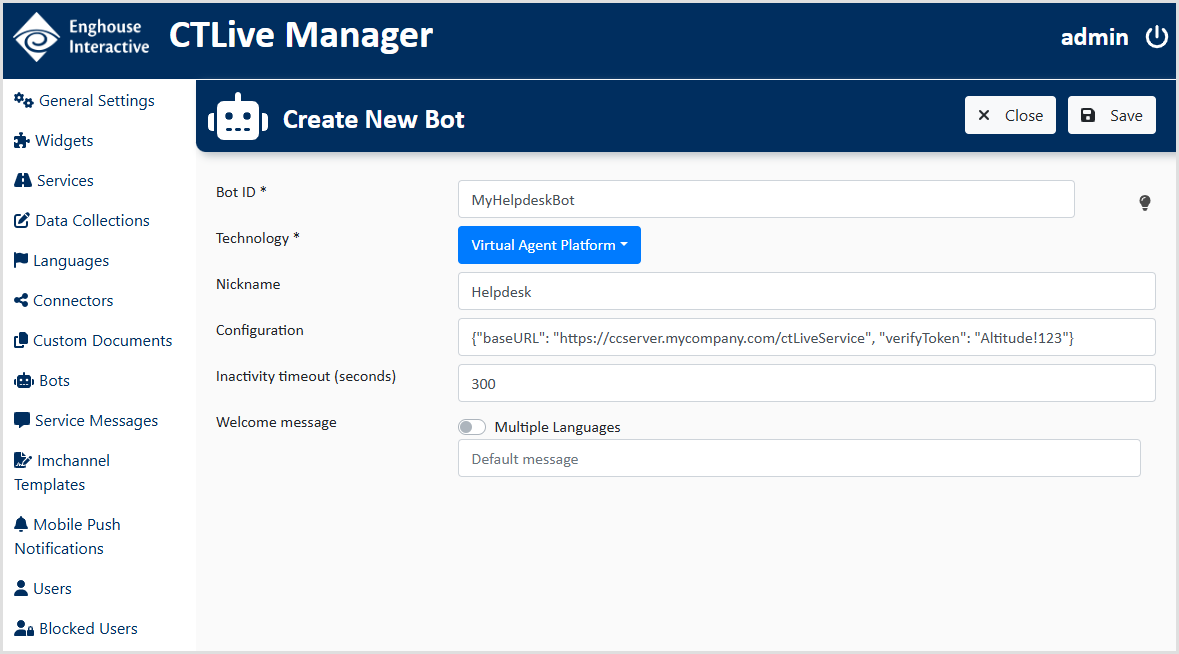
- Create a bot. You must create a bot if:
- your contact center handles IVR and routing campaigns integrated with CTLive.
- you are using digital outbound.
- Bot ID: Enter the identifier of the bot. For example, MyHelpdeskBot.
- Technology: Select Virtual Agent Platform.
- Nickname: Enter a nickname for the bot. For example, Helpdesk.
- Configuration: Enter a JSON string with the following syntax: {"baseURL": "<uAgentWebCTLiveServiceURL>", "verifyToken": "<TOKEN>"}, where <uAgentWebCTLiveServiceURL> is the URL to the Altitude CTLive Service, and <TOKEN> is a verification token, which must match the configuration on the Altitude CTLive Service. For example, {"baseURL": "https://ccserver.mycompany.com/ctLiveService", "verifyToken": "Altitude!123"}