Select the language

Note

  • By default, CCaaS Admin uses the language set in your browser. If the browser language is not available in CCaaS Admin, it uses the language configured by your administrator. If the configured language is not available in CCaaS Admin, it uses English.
  • After you open CCaaS Admin, you can select to use one of the available languages. CCaaS Admin then automatically uses your selected language.
  1. At the top right of the main CCaaS Admin page, click the language menu.
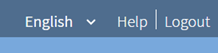
  1. Select the language to use.