Check Time

This block routes calls by the time range that you select.
|
Properties |
Values |
Description |
|---|---|---|
|
Time Zone |
Local |
The current local time for the connection server is used. |
|
GMT |
The current GMT time is used. |
Configure the Check Time block
- Right-click the block and click Add case. The Time dialog appears.
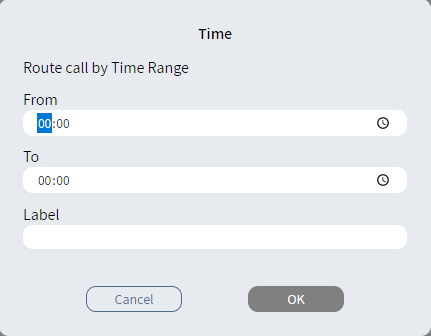
- Enter a time range.
- Optionally, in Label, type an alternative description.
- Click OK. The Case branch
 appears.
 - Connect the Case branch to the appropriate block in the script.
- Repeat steps 1-5 to add the branches you need.
- Connect the Else
branch
 to the appropriate
block in the script.
to the appropriate
block in the script.