IVR Recording

VCS only.
This block enables you to record parts of the IVR script.
The block is allowed only in the Ivr and Post Call scripts.
|
Properties |
Values |
Description |
|---|---|---|
|
Action |
Start |
Starts recording. |
|
Stop |
Stops recording. |
IVR recording always stops automatically at the end of the script. Consequently, a final IVR Recording block set to Stop is not required.
|
Caution
|
Examples
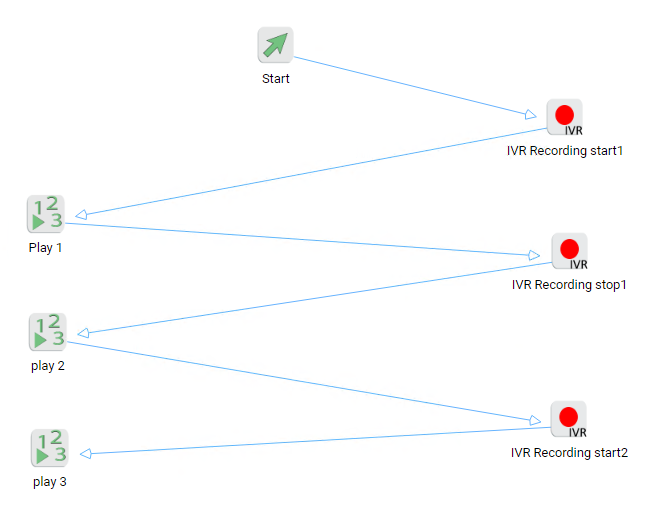
In the following example, the script records the Play 1 and Play 3 blocks, but not the Play 2 block.
IVR recordings are precise to 1 whole second, which means that the recording of a block may start too soon or finish too early.
To handle this limitation, insert a Wait block set to 1 second before the start and stop IVR Recording blocks.

Leave Voicemail and Record Voicemail blocks are not recorded and stop the IVR recording.
If you want IVR recording to continue after these blocks, you must add a start IVR Recording block.
