Edit a configuration file
|
Note
|
- On the Addons Parameters page, select the component from the Addons list. The Configure [Addon Name] dialog appears.
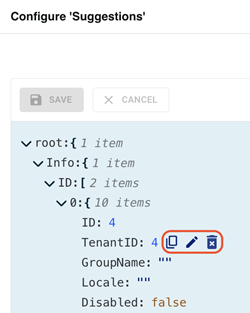
- Select the property to edit. The icons to copy, edit or delete the property's value appear next to the selected property.
- To edit the property's value:
- Click
 . The property's value field and a list box of data types (such as number, string, and boolean) appear.
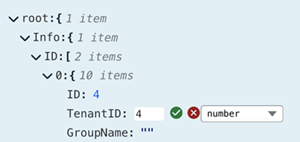
- Select the data type and then edit the value.
- To accept that change, click
 or to discard that change, click
  .
.
- To delete the property's value, click
 .
. - To commit the change to the database, click
 .
.