View the SQL script or parameters
After you locate the required audit record, you can view the SQL script details and the SQL parameters with the assigned values. You can also copy the text to the clipboard.
- In the results table, under Actions, click
 .
.

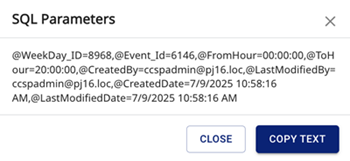
- To view the SQL script details, click Show sql script. The SQL dialog appears. Optionally click Copy Text and then click Close.
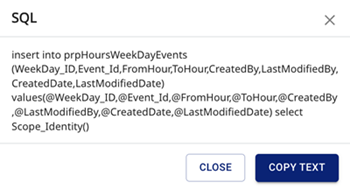
- To view the SQL parameters with the assigned values, click Show sql parameters. The SQL Parameters dialog appears. Optionally click Copy Text and then click Close.