Add a new flow placeholder
|
Note A new flow placeholder is created only in the IVR.xml. If you need to remove it or change its name, you must do this in Designer and then reload the application in Provisioning Portal to get the changes. |
- On the Flows page, select the application in the Application list.
- Click
 . The Add Flow dialog appears.
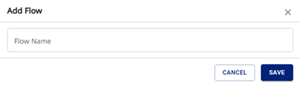
- In Flow Name, enter a unique name for the flow placeholder.
- Click Save. The new flow placeholder appears on the Flows page.