Add a new flow table
|
Note To add an empty new flow table, click Save without uploading a CSV file. |
- On the Flow Tables page, select the application in the Application list.
- Click
 . The New Flow Table dialog appears.
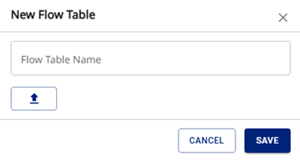
- In Flow Table Name, enter a unique name.
- Click
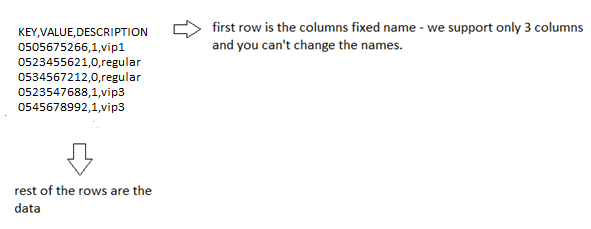
 to upload a CSV file with your data (optional). The file structure must be as follows.
- Click Save. The new flow table appears on the Flow Tables page.