Record a greeting
Use the Personnel section of the Greetings page to record a greeting.
- In the agents list, click
 in the same line as the agent. The Manage Agent Greetings dialog appears.
 - Click . The Recording For dialog appears.
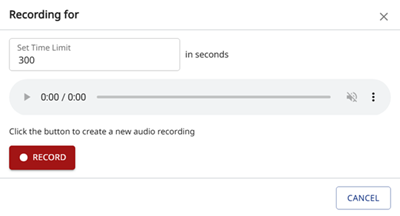
- In Set Time Limit, enter the time in seconds.
- To start the recording, click
 . Recording in progress ... appears.
 - To pause and resume the recording, click Pause and Resume.
- To stop the recording, click Stop. Recording complete appears.
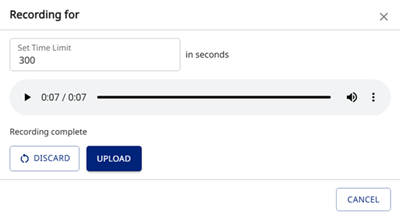
- To play the recording, click
 Play.
Play. - To download the recording, click
 More options and then click
  Download. The wave file appears in your Downloads folder.
 - To change the playback speed, click More options and then click
 Playback speed. Select the speed in the list.
 - To upload the file, click Upload.