Edit and publish general parameters for Smart Queues
- On the Smart Queues page, select the application in the Application list.
- Click
 and then click
  Edit general parameters. The Edit General Parameters dialog appears.
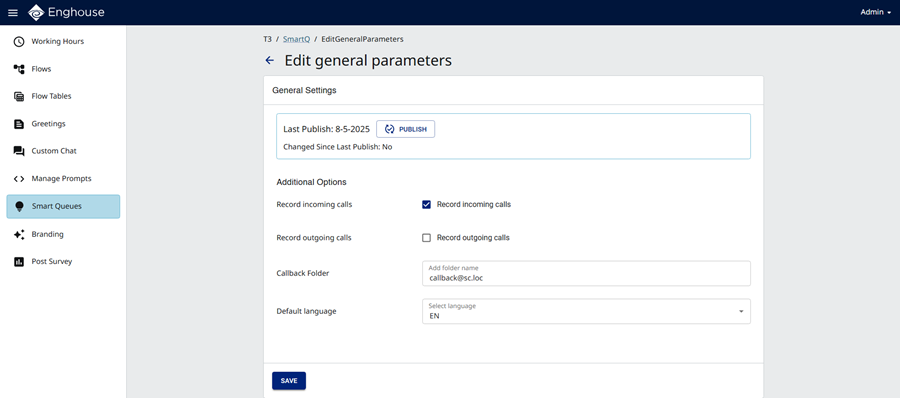
- Under Additional Options, enter the following information:
- Record incoming calls — if all incoming voice calls should be recorded, select the check box.
- Record outgoing calls — if all outgoing voice calls should be recorded, select the check box.
- Callback folder (optional) — enter the the tenant identity for receiving callback requests, in the format Callback@YourUPNsuffix, for example, [email protected]
|
Note
|
- Default language — select the language.
- To activate the changes, click
 Publish.
 - In the Publish General Parameters dialog, click Publish.
- Click Save.