Edit a menu flow placeholder
- On the Flows page, select the application in the Application list.
- In the menu flow placeholder's row, click
 . The Flows dialog appears.
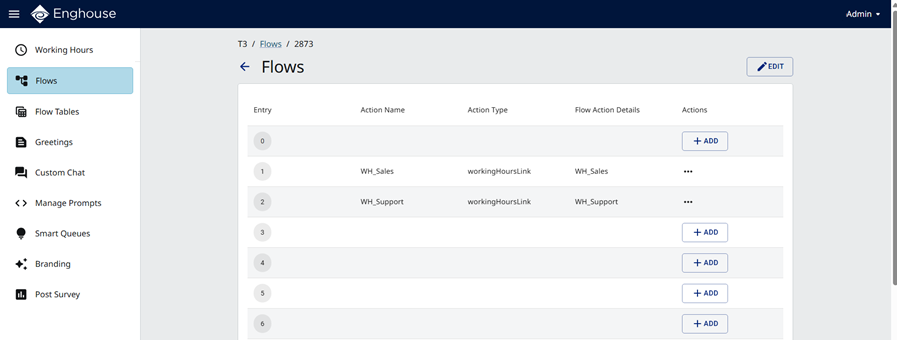
In the Flows dialog, the menu branches according to the input of the phone caller. The possible branches are: 0 … 9, #, * and Else.
Each branch accepts zero or more actions. The supported action types include: addSkill, callSetName, hangup, optionalParameter, setLanguage, playAudio, recordVoicemail, transferCall, terminate, getAgentStats, getQueueStats, Add Menu, Menu List, and Flow List.
For information about adding, editing, and deleting flow actions, see Edit a flow placeholder.
- At the top of the Flows dialog, click . The Edit [menu name] dialog appears.
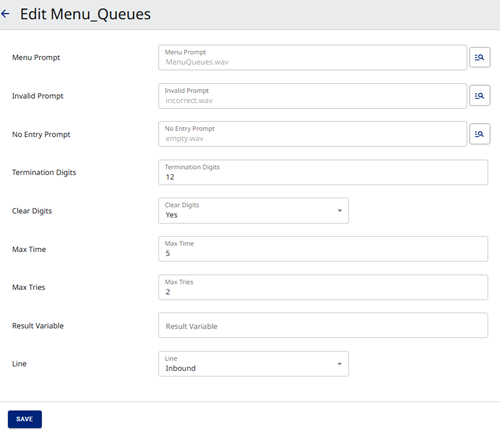
- Refer to the on-screen instructions and Designer Help to specify values for the remaining fields.
- Click Save.