Manage greetings for personnel
Use the Personnel section of the Greetings page to manage the greetings of the agents assigned to the selected queue. These agents are in the group that has the selected queue as its primary queue.
Filter agents
In the Filter panel, do one or more of the following:
- To filter by recording status, select one of the following:
- All agents – do not filter on whether any recordings exist
- With recordings – show only agents with a recording
- Without recordings – show only agents without a recording
- To filter agents by name or ID, enter text contained in the item.
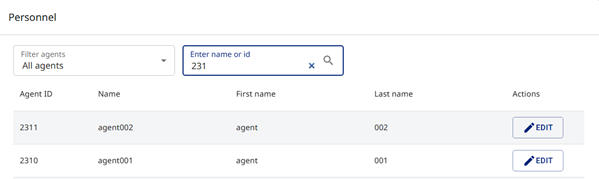
In the agents list, you can click a column heading to resort the list.
Manage greetings for an agent
- In the agents list, click
 in the same line as the agent. The Manage Agent Greetings dialog appears.
In Queue mode, there is a single recording.
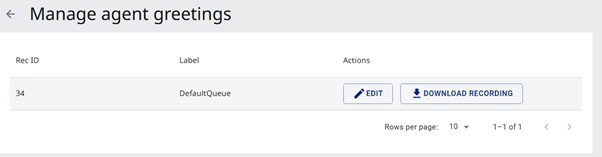
In Timeslot mode, there is a recording for each timeslot.
- To record a greeting, click . See Record a greeting.
- To download an existing greeting, click
 . The wave file appears in your Downloads folder.