Add a new prompt
- On the Manage Prompts page, on the Prompts tab, click
 . The Add New Prompt dialog appears.
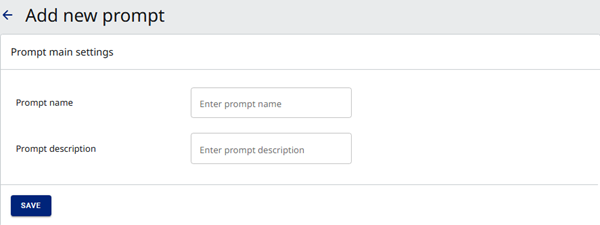
- Enter the Prompt name and Prompt description.
|
Note The prompt name must be unique per tenant. If you attempt to reuse a prompt name, the Adding Prompt Failed message appears. |
- Click Save. The Edit [prompt name] dialog appears.
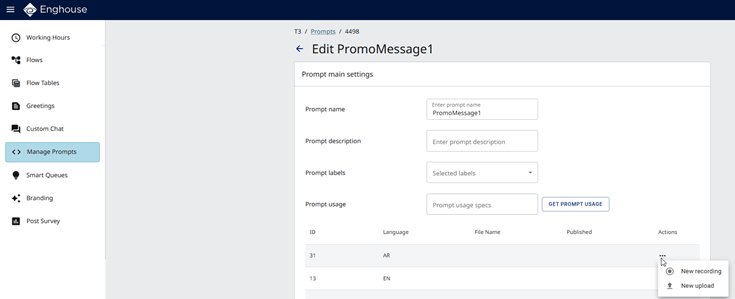
- To record an audio file, in the language's row, under Actions, click
 and then click
  New recording. For details, see Add a new recording.
 - To upload an audio file, in the language's row, under Actions, click and then click
 New upload. For details, see Upload an audio file.