Introduction
This document provides information on the following Altitude components:
- Agent Portal
- Agent Lite
- Altitude SIP Phone
- Automated Agents
Agent Portal
Agent Portal is an agent application that allows contact center agents to handle calls, emails, instant messages, and workflow tasks.
What you should know
To better understand how the Agent Portal works, you should attend one of the following Altitude training courses:
- Team leader
- Contact center management.
Contents
|
Section |
Description |
|---|---|
|
Describes the concepts related to Agent Portal. |
|
|
Explains how to install the Agent Portal. |
|
|
Contains tasks related to the Agent Portal. |
|
|
Reference to the interface of the Agent Portal. |
|
|
Troubleshooting scenarios for the Integration Server and uAgent Web. |
Agent Lite
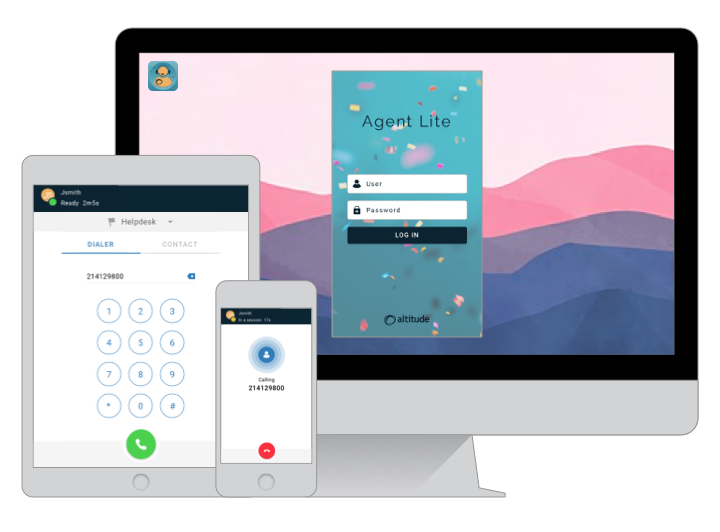
This section provides a guide to installing and using Agent Lite, a lightweight agent application of the Altitude suite.
Contents
|
Section |
Description |
|---|---|
|
Describes what Agent Lite is, and when contact centers can use the application. |
|
|
Describes the installation and configuration tasks of Agent Lite. |
|
|
Contains tasks on how to use Agent Lite. |
Altitude SIP Phone
This section describes the Altitude SIP Phone Standalone application concepts, the required steps to use the Altitude SIP Phone Standalone application, and provides an application example.
|
Notice The Altitude SIP Phone supports authentication with the login page of the Authentication Service, and also "legacy" authentication, using username/password through the command line. |
Contents
|
Section |
Description |
|---|---|
|
Explains the concepts related to the Altitude SIP Phone Standalone. |
|
|
Explains how to install the Altitude SIP Phone Standalone. |
|
|
Explains how to edit the configuration file of the Altitude SIP Phone Standalone. |
|
|
Includes tasks and explains how to use the Altitude SIP Phone Standalone. |
|
|
Provides a sample application to test the Altitude SIP Phone Standalone. |
Altitude SIP Phone supported environments
|
Agent Environment |
Browser |
PBX Environment |
vBox mode |
Recorder |
Update |
|---|---|---|---|---|---|
|
Agent Portal/Agent Lite/IS apps |
Edge/Chrome |
Altitude vBox 7 + Port mirroring |
AIO |
QMS |
8.7.1.000/8.6.3190 |
|
Agent Portal/Agent Lite/IS apps |
Edge/Chrome |
Altitude vBox 5.1 + Port Mirroring |
AIO + Infra |
QMS |
8.7.1051/8.6.3190 |
|
Agent Portal/Agent Lite/IS apps |
Edge/Chrome |
Altitude vBox 7 |
AIO |
Altitude Recorder (native) |
8.7.1060/8.6.3190 |
|
Agent Portal/Agent Lite/IS apps |
Edge/Chrome |
Altitude vBox 5.1 |
AIO + Infra |
Altitude Recorder (native) |
8.7.1051/8.6.3190 |
Automated Agents
This section provides a reference for the Automated Agents Monitor.
Contents
|
Section |
Description |
|---|---|
|
Explains how to install Automated Agents. |
|
|
Describes the interface of the Automated Agents Monitor. |
|
|
Contains tasks to add and configure the Automated Agents Monitor. |
|
|
Contains the reference to the Automated Agents Monitor panels. |
Logs and Troubleshooting
This section contains information about the logs and traces of Automated Agents.