Errors page
Save current errors to a text file
|
Note
|
- On the navigation pane, click
 Errors. The Errors list appears. For navigation information, see List view.
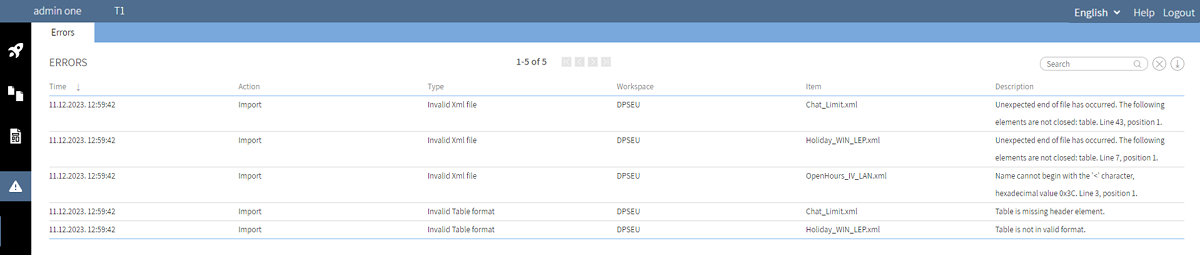
The possible Import or Validate action error types are:
- Block name too long — the block display name exceeds 256 characters.
- Duplicate name — during import of a workspace, more than 1 script with the same name has been found.
- Invalid Block usage —a block exists on a script that is not valid for that script type.
- Invalid Table format — a table .xml file has invalid or missing elements.
- Invalid Xml file — the file is syntactically invalid or has incorrect or missing elements.
Save current errors to a text file
- On the Errors page, click
 Download.
 - The text file appears in your Downloads folder.
Clear current errors
- On the Errors page, click
 Delete.