Manage prompts
This section contains the following topics:
- Add a new prompt
- Edit a prompt
- Change prompts permissions profile
- Deactivate or activate a prompt
- Publish prompts
- Edit languages and labels
- Integrate the Prompts module with Designer (for advanced developers)
- Recording Prompts IVR application
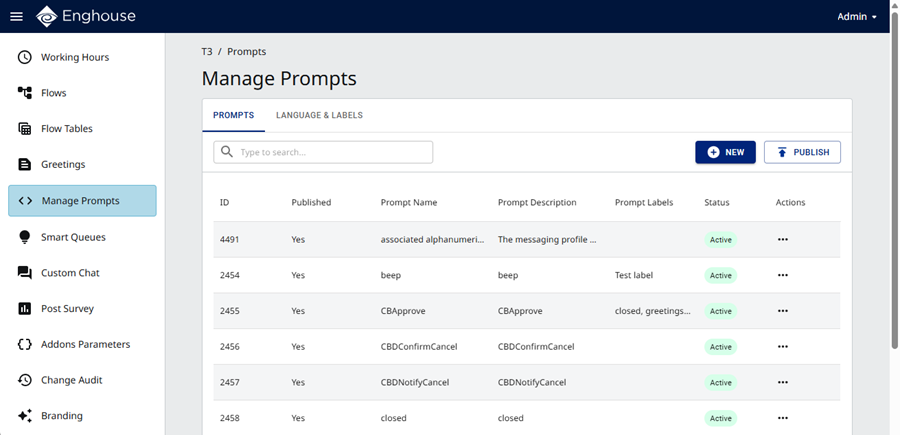
The Manage Prompts page appears as follows.
Overview
This section describes how to manage the audio prompts that are referenced in the Flows and Queues modules.
Prompts is a voice prompt library. To define a prompt, enter the prompt name and then upload a relevant audio file per language. Language is a customizable attribute to the tenant. A tenant administrator can decide to support one or more languages in their IVR service.
Once languages are defined, relevant audio files for prompts in each language may then be uploaded and published. Uploading process concerns putting the audio files in the system repository while publishing process concerns taking the audio files from the repository to the web farm (IIS instances).
Once a prompt is defined, it may be assigned to relevant parts in the Flows module and Smart Queues module.
The Prompt library may be used as a standalone module for advanced developers.